
Agent Settings Overview
How to access settings:
- Go to IoT > ASICs
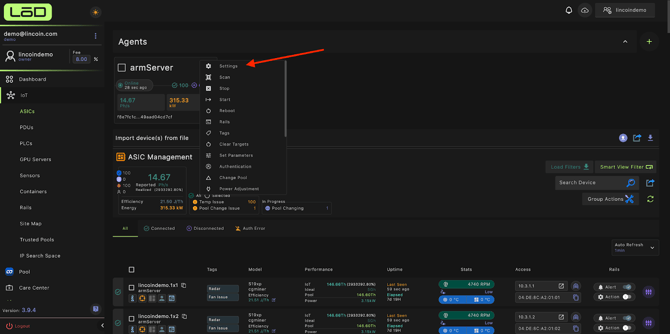
- Click the 3 line button in your agent
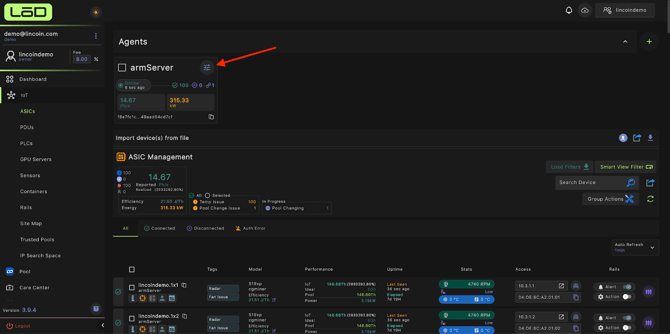
- Then click “Settings”
General Settings
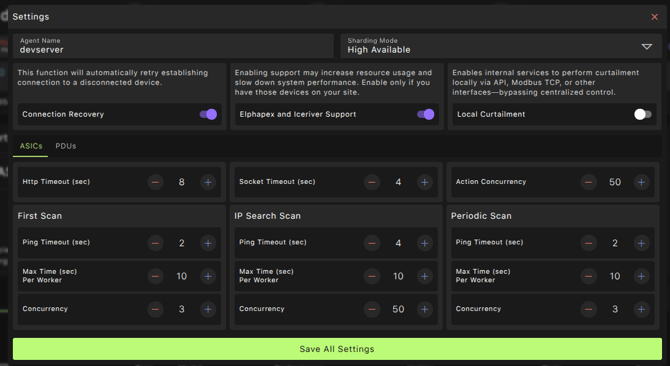
Agent Name
Specifies the display name of the agent.
Use a clear and identifiable name to easily distinguish agents across multiple farms.
Sharding Mode
Defines how multiple agents within the same farm operate together:
- High Availability – Each agent can see all devices in the farm, providing redundancy and fault tolerance.
- Load Balanced – Each agent is responsible for a subset of devices, optimizing performance across large farms.
Connection Recovery
Automatically retries and re-establishes connections to devices that have become disconnected.
Elphapex and Iceriver Support
Adds support for Elphapex and Iceriver miners.
Note: Enabling this option increases agent workload.
This setting is disabled by default and should only be enabled if your farm includes these miner types.
Local Curtailment
Allows clients to send a local signal to the agent, enabling on-site control of device power states.
When triggered, the agent will turn off devices based on the received signal.
Network Timeout Settings
HTTP Timeout

Defines the maximum duration (in seconds) the agent waits for an HTTP request to a miner before marking it as failed.
Applies to:
- First scan
- IP search scan
- Periodic scan
Exception: The initial ping request to a device is not affected by this timeout.
Socket Timeout
Defines the maximum duration (in seconds) the agent waits for a socket request before marking it as failed.
Applies to:
- First scan
- IP search scan
- Periodic scan
Action Concurrency
Specifies the maximum number of concurrent requests the agent sends when performing network actions on devices.
Higher values may improve performance but can increase network load.
Scan Configuration
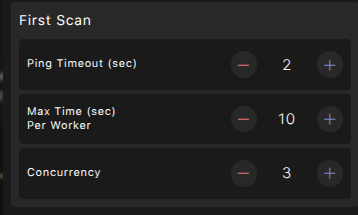
Each scan type allows you to control how the agent interacts with devices.
First Scan
Used when the agent connects to a new farm or device for the first time.
- Ping Timeout – Maximum duration before a ping request is marked as failed.
- Max Time per Worker – Maximum time allowed for all requests sent to a worker.
- Concurrency – Number of simultaneous requests for reading device data.
IP Search Scan
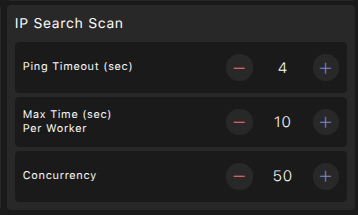
Used to discover miners within a defined IP range.
- Ping Timeout – Maximum duration before a ping request is marked as failed.
- Max Time per Worker – Maximum time allowed for all requests sent to a worker.
- Concurrency – Number of simultaneous requests for reading device data.
Periodic Scan
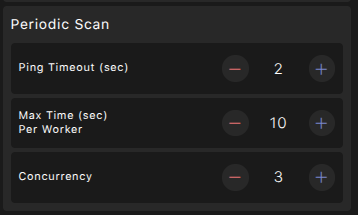
Used for ongoing monitoring and data collection.
- Ping Timeout – Maximum duration before a ping request is marked as failed.
- Max Time per Worker – Maximum time allowed for all requests sent to a worker.
- Concurrency – Number of simultaneous requests for reading device data.